CommanderAI Widget

Turn Every Website Visit Into a Sales Opportunity

CommanderAI's new website widget captures inbound quote requests and service needs directly from your website - automatically routing them into your CRM the moment they come in. Fully automated and customizable.

Book a Demo

Capture leads 24/7

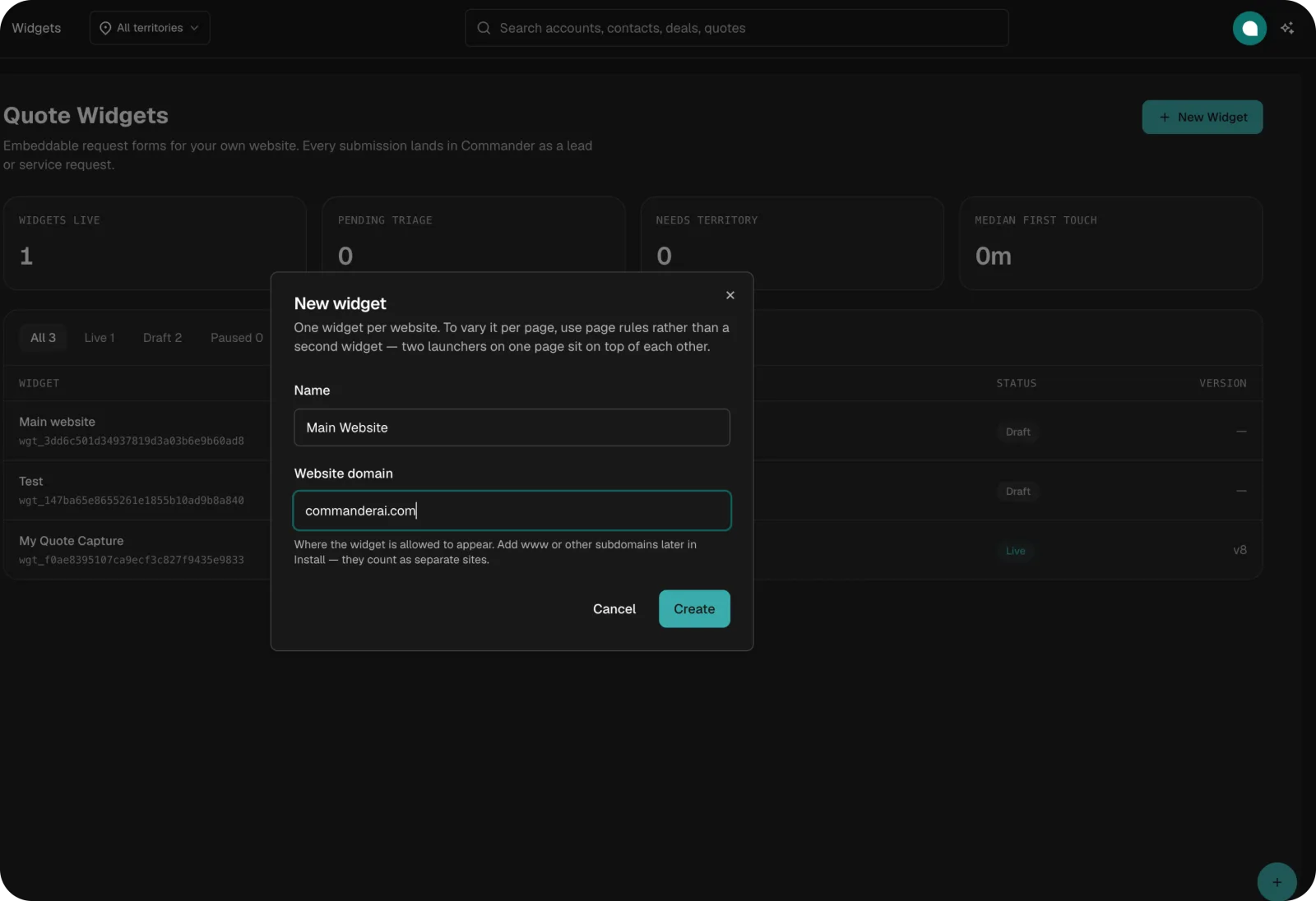
Create a customized quote or service request form in CommanderAI, add your own questions and branding, then simply copy and paste it onto your website. Every submission goes directly into your Commander profile, turning website visits into actionable quote requests and new customers.
Every Lead Automatically Routed Into Commander

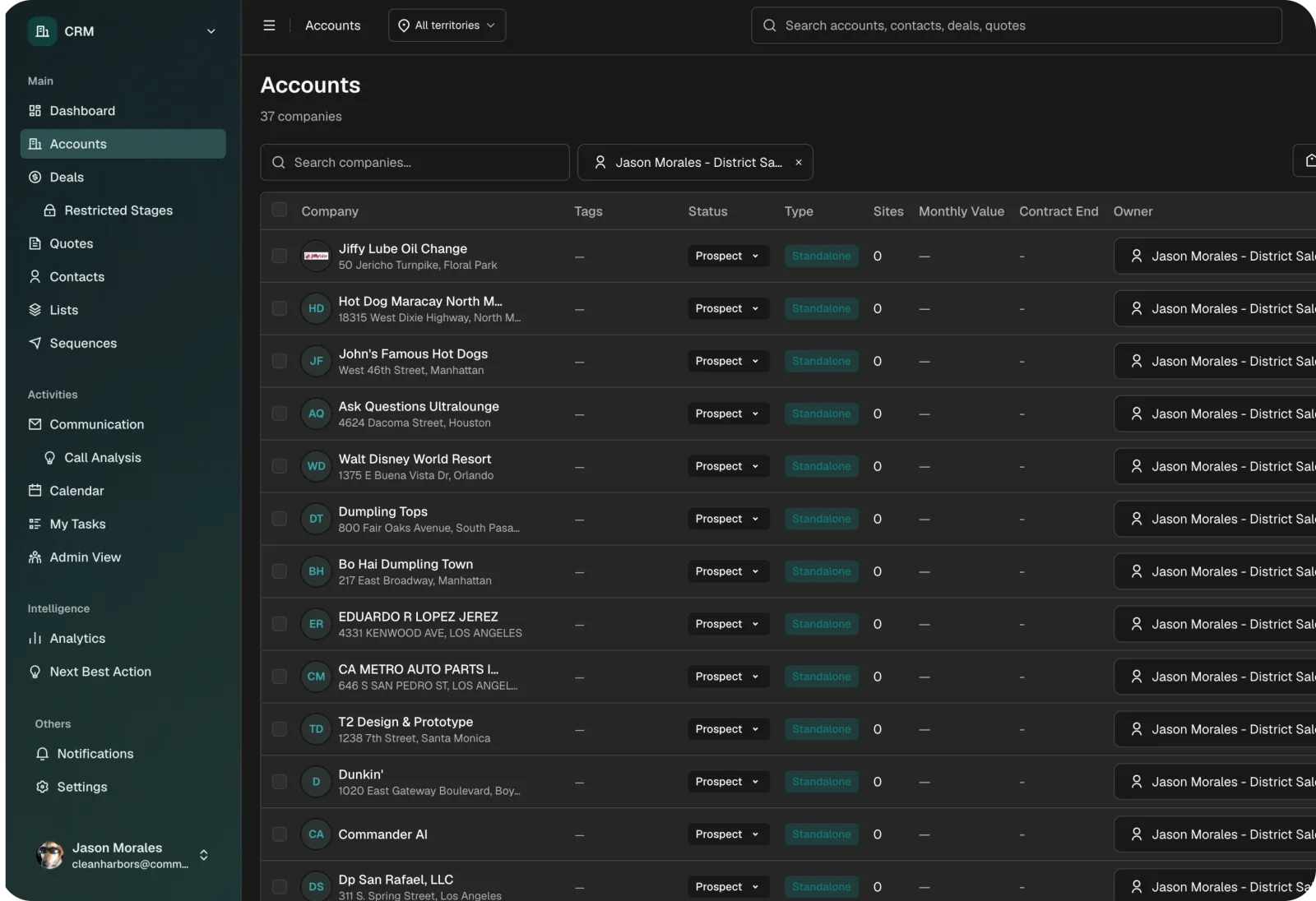
The moment a prospect submits a quote request or service inquiry through your widget, it flows directly into CommanderAI - automatically assigned to the right rep or admin. No manual sorting or missed inquiries - just your inbound demand, captured and ready to close.

Customized to Your Own Brand

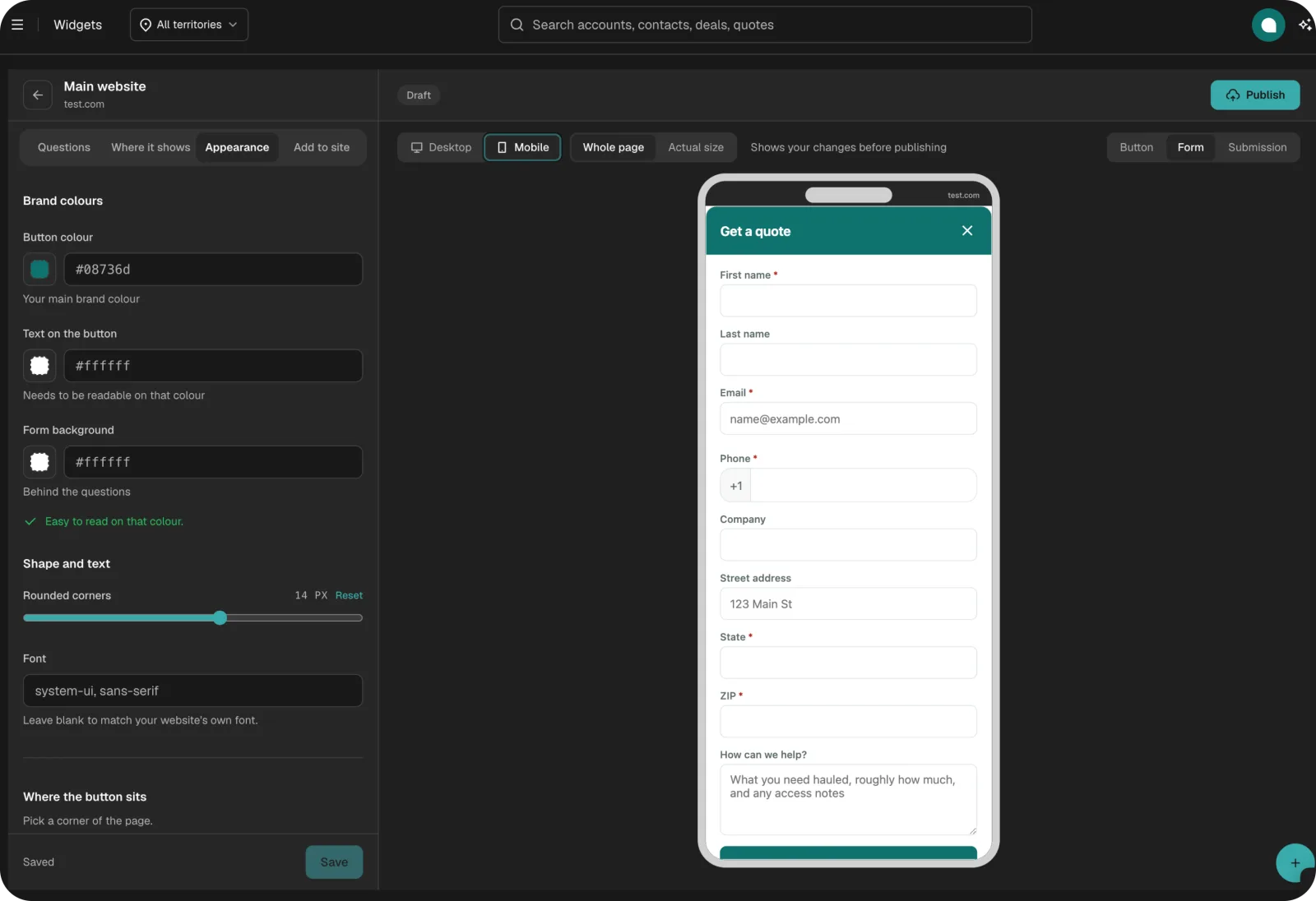
Customize your widget to match your brand and your business. Choose your colors, fonts, placement, and the questions you want to ask. Add custom fields, make questions required, and control which pages the widget appears on - all designed to feel like a natural part of your website.

How it works

From Setup to Lead Capture in Minutes.

1

Create a widget and customize it to your business

Set your colors, questions, routing rules, and placement. Make it yours.

2

Add the widget to your website

Copy a single line of code and paste it into your site header or body.

3

Watch leads flow into Commander

Every submission routes automatically into your CRM as a new deal or service request. Ready to action immediately.

Turn Your Website Into a 24/7 Lead Generator

Book a free demo and see the CommanderAI widget live. See how easy it is to create, customize, and add to your website - and have every submission flow straight into your CRM.

Book a Free Demo
Testimonials

Real Haulers, Real Results

Frequently Asked Questions

Can I have multiple widgets?+
Yes - you can create multiple widgets for different URLs, pages, or use cases. Each one is independently customizable.
What can I capture with the widget?+
Anything you need - quote requests, service enquiries, or both. You choose the questions, mark which ones are required, and add custom fields for any information specific to your business.
How does the widget get added to my website?+
Simply copy the widget code and paste it into the header or body of your website - no developer required. We'll do it for you if you'd rather.
Where do submissions go?+
Directly into CommanderAI. Each submission is routed to an admin or a specific rep - your choice - and appears as a new deal or service request in your CRM instantly.
Can I control where the widget appears on my site?+
Yes - you can set rules to show the widget on specific pages only, or exclude pages where you don't want it to appear.
Is there a mobile preview?+
Yes - the widget builder includes a live mobile preview so you can see exactly how it will look on smaller screens before publishing.